

AI + BigQuery: Transform user queries into tracked data with Zparse.
Are your valuable data insights slipping through the cracks?
In today's hyper-connected world, data lives everywhere in user interactions, external APIs, and internal systems. The true challenge is not collecting the data, but unifying it with the context of its creation to power truly intelligent analytics.
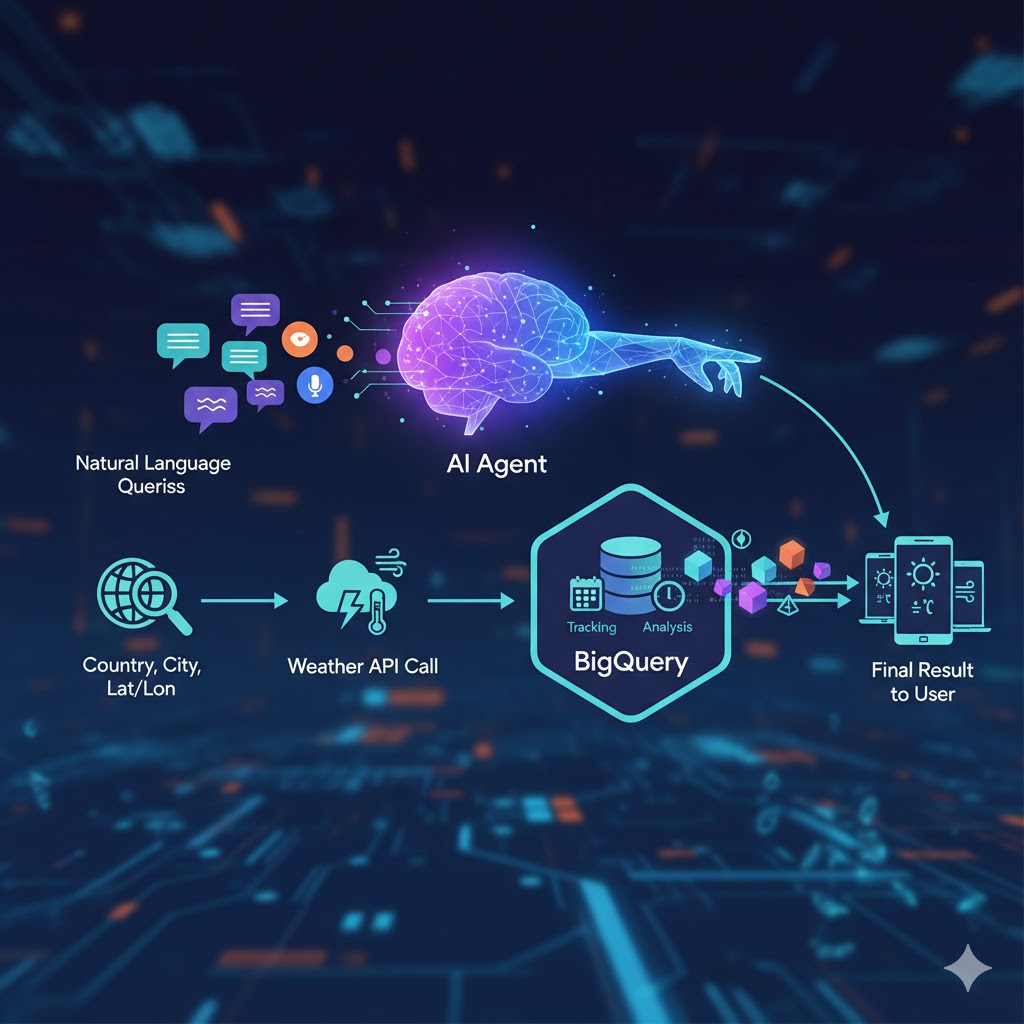
If you are a Data Engineer, MLOps Specialist, or Analytics Architect, you know the pain of bridging the gap between unstructured user input and clean, structured data in your warehouse.
It's time to build smarter pipelines. We are thrilled to announce a comprehensive tutorial that guides you, step-by-step, through establishing a production-ready, AI-driven data pipeline that uses BigQuery as its scalable, analytical core.
Introducing AI-Driven data unification: Weather and tracking data in BigQuery
This isn't just another data ingestion guide. We demonstrate a paradigm shift: leveraging AI Function Calling to intelligently process natural language, standardize inputs, and generate enriched, analysis-ready data.
The core problem solved: From text to truth
Imagine a user types a simple request, like "What's the wind speed in the capital of France?"
- Traditional Approach: You would need complex, brittle regex or a separate microservice to parse the location, look up the city's coordinates, and then make the API call. And you'd likely lose the original context forever.
- Our AI-Driven Approach: The AI model is given a "tool" (our weather API). It recognizes the intent and intelligently transforms the unstructured query into precise, standardized parameters in this case, the
latitudeandlongitudefor Paris, France.
A Deeper Look at the Pipeline Architecture:
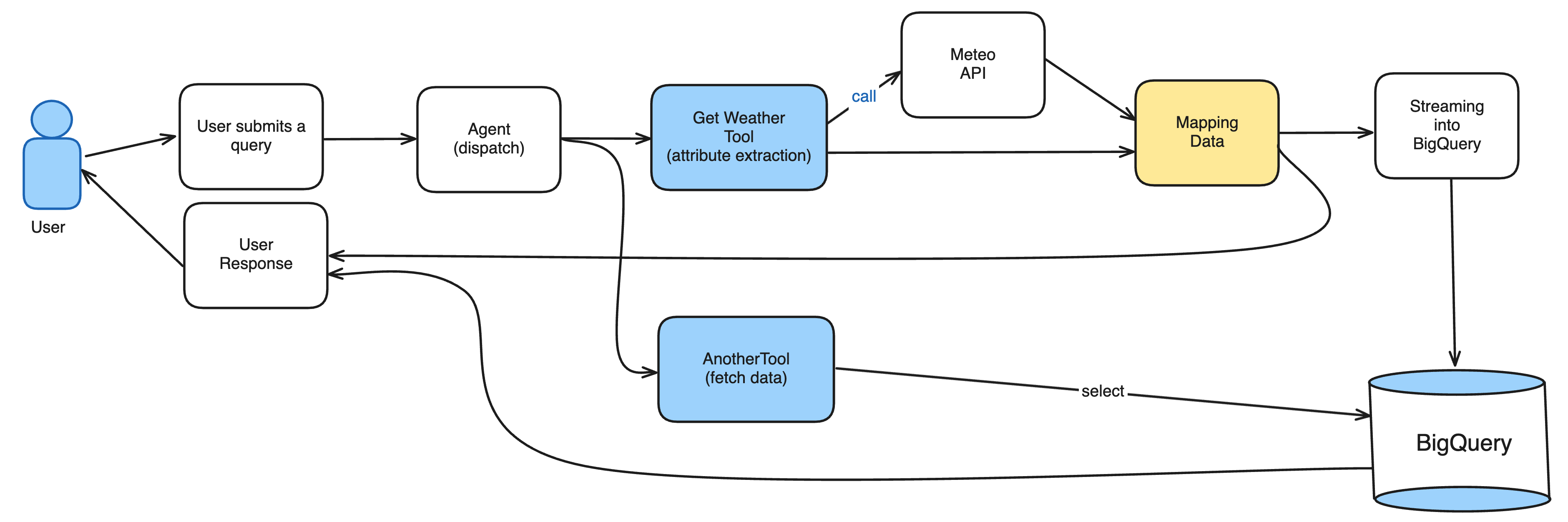
We walk you through a powerful, yet simple, 5-step Function Calling workflow:
1. User initiation: A user submits a query (e.g., asking for current weather conditions).
2. Intelligent intent & Parameter extraction: The AI Model's Function Calling capability determines the need to call the internal weather tool and provides the standardized geographical parameters. This ensures consistency and accuracy, eliminating common parsing errors.
3. Real-World data fetch: The backend system uses the AI-provided lat/long coordinates to call a reliable external source, like the Open-Meteo API, fetching key metrics such as temperature and wind speed.
4. Data unification & Persistence in BigQuery: This is where the magic happens. We serialize the final, structured result crucially, including the original user query, the AI-extracted parameters, and the final weather metrics and stream it directly into a BigQuery table. This creates a permanent, rich, and unified dataset for tracking.
5. Final user feedback: The system sends the final, human-readable result back to the user, completing the cycle.
Why BigQuery is the Ultimate Destination
By integrating this pipeline directly with BigQuery, you are not just storing data you are activating it:
- Contextual Analytics: You can now analyze the intent of your users (the original query) alongside the result (the weather data). This allows you to measure AI tool performance, understand user demand patterns, and track which locations are queried most often.
- AI/ML Readiness: The unified, structured data in BigQuery is immediately ready to train future machine learning models, allowing you to create predictive forecasts or personalize user experiences based on historic context and data.
- Scalability & Cost-Efficiency: Leverage BigQuery's petabyte-scale capacity and serverless architecture to ensure your tracking pipeline can handle massive volumes of streaming data without operational overhead.
Design the platform around your pipelines
For teams designing the broader platform around these pipelines, modern data architecture with Data-Sleek can help define how ingestion, storage, transformation, and analytics should work together.

♦
Don't just collect data. Unify it, enrich it, and make it intelligent.
Ready to build the future of data engineering ?
♦